Learning Hub

Explore a wide range of video tutorials tailored to your classroom needs. Search by product, format, or level, or discover trending video topics.

Course

Lesson 1: Panel Basics & Navigation

Welcome to the Panel Basics & Navigation lesson In this course, you will learn the essential operations of the tutortouch Interactive Flat Panel (IFP). This lesson provides step-by-step guidance to help you confidently use your tutortouch panel in real classroom environments.

Course

Lesson 6: Bytello Class

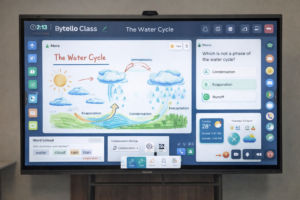
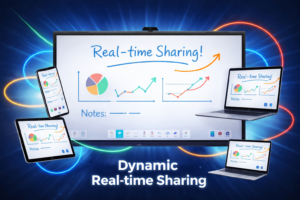
This lesson introduces Bytello Class, an interactive teaching software designed to help educators create and deliver engaging lessons. You’ll explore the platform’s core features, including the digital whiteboard, screen and file sharing, cloud drive integration, student engagement tools and walk away with the practical knowledge to start using Bytello Class in your classroom right away.

Course

Lesson 5: Connecting Devices to your tutortouch panel.

Your tutortouch panel is designed to work seamlessly with the devices you already use. In this lesson, we’ll walk you through connecting laptops, tablets, smartphones, and more, so you can share, display, and teach without the hassle. Whether you’re plugging in via USB-C, HDMI, or going wireless, getting connected has never been easier. Learning objectives […]

Course

Lesson 4: Bytello OS

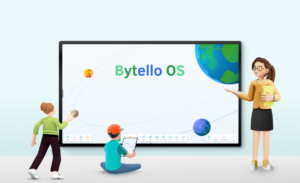
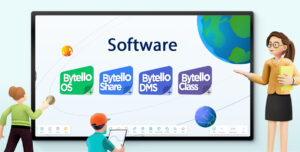
Bytello OS is an intuitive operating system built specifically for interactive classroom displays. It brings together essential teaching tools like a digital whiteboard, wireless screen sharing, cloud access, and interactive features into one easy-to-use platform. Designed to remove technical barriers, it helps educators deliver more engaging, dynamic lessons with confidence. Simple tech inspires teaching. An […]

Course

Lesson 3: Bytello OS Interactive software suite

tutortouch interactive panels come standard with the full Bytello OS software suite. Our interactive teaching tools are designed to help you build dynamic lessons fast, so you can focus on what matters most: your students. Easily customize activities, quizzes, and presentations to match your class’s needs, keeping learning personalized and engaging.

Course

Lesson 2: XTR Series features

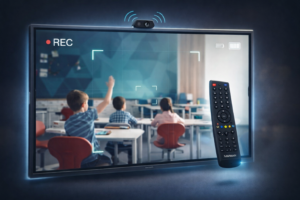
tutortouch Essentials Introduces the core features and tools of your tutortouch interactive panel, helping you get comfortable with the XTR model. You’ll explore key hardware features, learn how to use the remote control effectively, and understand how to connect and use external devices like webcams and document cameras. By the end of this lesson, you’ll […]